




Double Tap to Like
I greatly admire the “double tap to like” interaction.
It removes precision from an action that would otherwise demand it. Instead of locating a small heart icon, users can tap almost anywhere on the content in front of them. The content itself becomes the button.
This matters because liking is rarely the user’s primary task—they are there to watch, scroll, and discover. By making the gesture effortless, the interaction lets them express appreciation without interrupting the flow of consumption.
I wanted to recreate it as an exercise; to understand what makes it work and how it might be extended. What looks like a simple interaction is really a series of small decisions coming together to make it feel delightful.
Observations
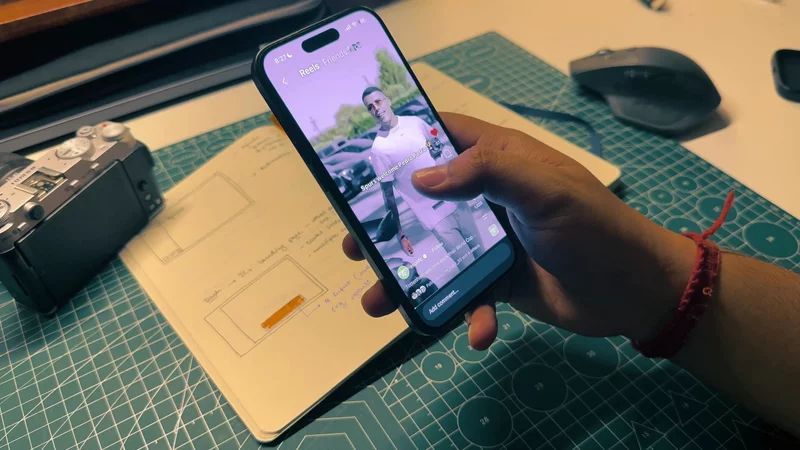
I always like to start by recording the interaction I am studying, then playing the recording back and forth several times at a reduced speed to understand the subtle nuances of the interaction.
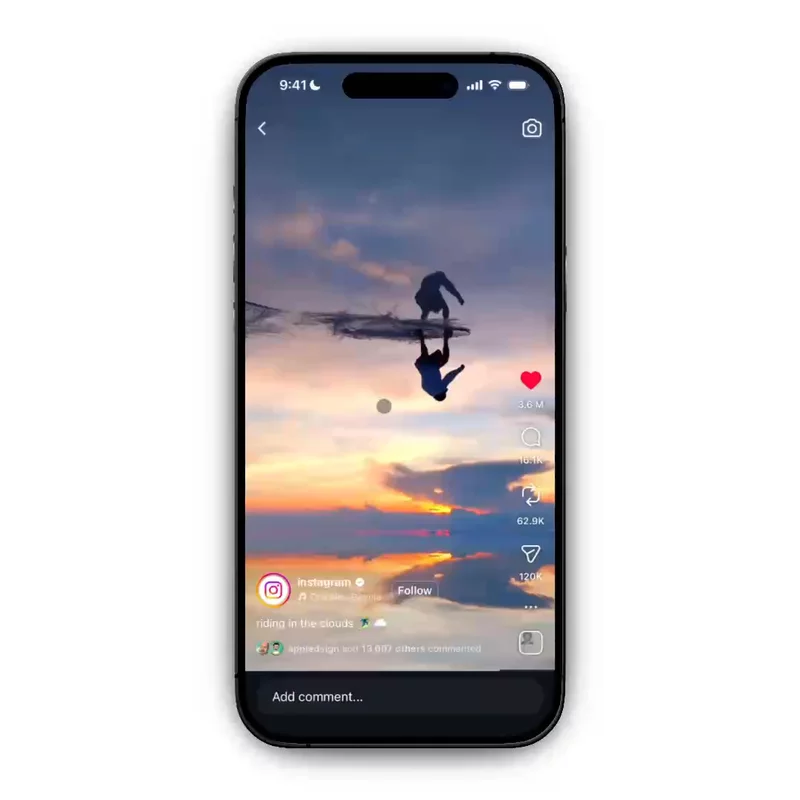
A few things stand out immediately. First, the heart appears at the position of the double tap. It then moves from that point to a fixed destination—the Like button beside the other actions.
Second, the heart doesn't follow a straight path to the destination. It rises slightly from the spawn position, holds for a moment, then cuts diagonally into the like button in the corner.
Another key thing to notice is the nature of the interaction. It is swift by nature, giving enough visual feedback to show that a like was registered without being intrusive, since the user would most likely be engrossed in the content. You can also spam the interaction, and every double tap fires a new instance of the same loop.
There is also subtle haptic feedback when you like a reel. However, spamming the interaction does not produce repeated haptic feedback. It is only triggered when you like or unlike a reel.
First Animations
To start with, we need to detect the exact location of the double tap on the screen, as this is where the heart will spawn.
We start by identifying the valid region for the double tap. You can double tap anywhere on the screen except within the small regions reserved for action items—like, comment, share, and more—and the account details and reel description at the bottom.
1Screen shot of the valid region for the double tapLets define a reusable double tap gesture using the React Native Gesture Handler
------–––––––––––––––––––––-------------------------------------------------
I double-tap to like things more than I do almost anything else on my phone, and until recently I'd never actually looked at what happens when I do. So I slowed a recording down and stepped through it.
The heart doesn't travel in a straight line. It leaves your finger going straight up, holds for a moment, then cuts diagonally into the like button in the corner. It swells to about three times its final size on the way up and shrinks the whole way down.
That hold is the part I couldn't stop noticing. It's maybe five frames. Take it out and the heart still arrives at the same time, but it reads like something being moved rather than something being thrown.
Here's the version we'll end up with. Double-tap the video.
Rebuilding it turned out to involve less animation than I expected. Three of the four problems have nothing to do with motion at all.
The tap has to survive the screen
Let's start with the part that isn't animation.
The double tap isn't attached to a button. It's the whole video, which is the whole screen — and that screen already has a like button, a comment button, a share button, a caption, and a text input along the bottom. Every one of them is tappable. None of them should like the post.
The obvious fix is to check the tap coordinates against a list of rectangles and bail if it falls inside one. I'd avoid it. Those rectangles move: the rail is anchored to the bottom inset, the caption grows with its text, the input bar changes height when the keyboard appears. You end up maintaining a second, parallel copy of your layout that goes stale without telling you.
Gesture Handler has a better version of the same idea. An empty Gesture.Tap()
does nothing except claim the touch, and a gesture that claims a touch stops
the one above it from seeing it:
12345678910111213141516171819const doubleTap = Gesture.Tap()  .numberOfTaps(2)  .maxDelay(250)  .onEnd((event, success) => {    "worklet";    if (!success) return;    runOnJS(spawnHeart)(event.x, event.y);  });
// Does nothing but win.const blockRail = Gesture.Tap();
<GestureDetector gesture={doubleTap}>  <View style={StyleSheet.absoluteFill}>    <GestureDetector gesture={blockRail}>      <View style={styles.rail}>{/* like, comment, share */}</View>    </GestureDetector>  </View></GestureDetector>;
No coordinates, no rectangles. The exceptions live in the same place as the layout, so they can't drift out of sync with it.
It helps to stop looking at the screen as an image. What the compositor hands
the user is one flat picture, but what the gesture system walks is a stack —
and the rail blocks the like because of where it sits in that stack, not
because it knows its own coordinates. Set explode to flat in the panel and
the two planes fold back into the picture you started with.
maxDelay(250) deserves a second of attention. It's the window in which a
second tap still counts as part of the first. Too generous and two deliberate,
separate taps get read as a like — the specific bug that makes an app feel like
it's arguing with you. Too tight and you lose anyone who doesn't tap briskly.
The demo below tints every region that refuses the gesture. Try to like the post by double-tapping the comment box; the counter will tell you it saw the tap and threw it away. It's worth turning the tint on just to see how much of the screen is already spoken for — roughly a third, and it's the third your thumb naturally rests on.
Nothing animates yet, and that's deliberate. An animation on top of a gesture that fires at the wrong moment is a faster wrong answer.
Two points, and one of them is hidden
The flight needs a start and an end.
The start is free — the gesture hands you event.x and event.y, already
relative to the view you attached it to.
The end is the problem. The heart flies to the like button, and the like button has no fixed position. It sits in a rail anchored to the bottom of the screen, above a tab bar, above the home indicator. Its position depends on the device. Hardcode it and it's correct on exactly one phone.
So measure it:
123456789const onHeartLayout = ({ nativeEvent }: LayoutChangeEvent) => {  const { x, y, width, height } = nativeEvent.layout;
  // layout is relative to the rail, so the rail's own offset goes back on  setTarget({    x: screenWidth - RAIL_WIDTH + x + width / 2,    y: screenHeight - RAIL_HEIGHT - TAB_HEIGHT - insets.bottom + y + height / 2,  });};
That last part is the easy thing to get wrong. onLayout reports a position
relative to the parent, not the screen. Forget to add the rail's offset back
and the heart flies, confidently and smoothly, to a point somewhere off the
bottom edge.
Which is really the thing that made this tractable: I couldn't see either number. I was tuning a trajectory between two points I was taking on faith, so when the heart missed the icon I had no way to tell whether the path was wrong or the destination was.
So before animating anything, I drew them both.
Double-tap anywhere below. The crosshair is the contact point with its coordinates; the small ring on the like button is the measured destination; the dashed line between them is the flight before any flight exists. Resize the window and watch the ring move — that's the measurement re-running, and it's the bug you'd otherwise ship to every screen size but your own.
This is the last moment where being wrong about the geometry costs nothing.
One aside, since it comes up the moment you try to print a live coordinate:
pushing a value that changes every frame through React state is sixty renders a
second for one line of text. Reanimated's escape hatch is useAnimatedProps on
a TextInput — the one component whose content is a prop rather than a child,
so it can be written from the UI thread without involving React at all.
12345678const AnimatedTextInput = Animated.createAnimatedComponent(TextInput);
// `text` isn't in TextInput's public props, hence the castconst readout = useAnimatedProps(  () => ({ text: `${Math.round(tapX.value)}, ${Math.round(tapY.value)}` }) as never,);
<AnimatedTextInput editable={false} defaultValue="" animatedProps={readout} />;
One number, not five
Now the motion.
My first attempt animated five things: x, y, scale, rotation, opacity. Five timings, five durations. It worked, and it looked subtly wrong in a way I couldn't place for an embarrassingly long time.
In hindsight it's obvious. Five animations started together don't stay together, and every time I adjusted one duration I was silently desyncing the other four.
The fix is to stop animating properties and animate a single number. progress
runs 0 to 1. Everything else is a function of it:
1234567891011121314151617const style = useAnimatedStyle(() => {  const p = progress.value;  const { x, y } = positionAt(p, from, to);
  return {    opacity: interpolate(p, [0, 0.05, 0.95, 1], [0, 1, 1, 0], CLAMP),    transform: [      // translate first: transforms compose left to right, so scaling after      // the move stays about the heart's own centre instead of multiplying      // the offset      { translateX: x - SIZE / 2 },      { translateY: y - SIZE / 2 },      { rotate: `${interpolate(p, [0, 0.3], [0, tilt], CLAMP)}deg` },      { scale: interpolate(p, [0, 0.3, 1], [0, 3.2, ICON / SIZE], CLAMP) },    ],  };});
The useful part is that the breakpoints differ per property. Scale peaks at 0.3 and shrinks the rest of the way. Rotation finishes at 0.3 and never moves again. Opacity only cares about the first and last five percent. Four different shapes on one clock — and they can't drift apart, because only one thing is actually moving.
Worth flagging: this uses translateX and translateY rather than left and
top. They look interchangeable and aren't. Position is layout; transform
isn't. We'll come back to why that matters at the end.
The path is two straight segments, because a single line from finger to icon has no throw in it:
1234567891011121314const BREAK = 0.3;const APEX_RISE = 80;
function positionAt(p: number, from: Point, to: Point) {  "worklet";  const apexY = from.y - APEX_RISE;
  if (p < BREAK) {    return { x: from.x, y: from.y + (p / BREAK) * (apexY - from.y) };  }
  const t = (p - BREAK) / (1 - BREAK);  return { x: from.x + t * (to.x - from.x), y: apexY + t * (to.y - apexY) };}
And then the timing, which is where it stops feeling like a tween:
1234567progress.value = withSequence( withTiming(BREAK, { duration: 180, easing: Easing.out(Easing.cubic) }), withDelay( 90, withTiming(1, { duration: 270, easing: Easing.in(Easing.quad) }), ),);180ms up, 90ms of nothing, 270ms down. The heart covers 30% of its distance in 40% of its time, waits, then accelerates into the corner. Ease-out going up, ease-in coming down — it's never travelling at a constant speed, for the same reason nothing thrown into the air ever is.
This next one is the one I'd actually play with. The slider is progress
itself: drag it and every property moves together, because they're all reading
the same number. Sit around 0.28 and nudge upward — three of them change
direction at once. Then press Play and watch the marker on the curve
underneath. The flat step is the 90ms hold; the dashed diagonal is what a plain
linear tween would have done instead.
Delete the hold and the heart still arrives in the same 540ms. It just stops looking thrown.
Five of them
Instagram's real like doesn't fly to the icon at all. It sprays hearts up and off the top of the screen. Once there's a single progress value driving a position function, that's a different position function and nothing else.
1234567891011function randomArc(from: Point) {  const dips = Math.random() < 0.3; // a third fall before they rise  const dir = Math.random() < 0.5 ? -1 : 1;  const spread = 70 + Math.random() * 110;
  return {    c1: { x: from.x + dir * spread, y: from.y + (dips ? 90 : -60) },    c2: { x: from.x - dir * spread * 0.8, y: from.y - 340 },    end: { x: from.x + (Math.random() - 0.5) * 160, y: -SIZE },  };}
Two constraints are worth knowing here.
The dice get rolled once, at spawn, and the result is handed over as plain
numbers. The position function runs on the UI thread on every frame and has to
return the same point for the same progress — a Math.random() inside it puts
the heart on a fresh curve sixty times a second.
And each heart removes itself when its own animation reports that it finished:
123withTiming(1, { duration: 270 }, (finished) => { if (finished) runOnJS(onDone)(id);});It's tempting to use a setTimeout for this instead. Don't. A timer and an
animation that start together drift apart the moment either is interrupted, and
you get hearts that vanish mid-flight or linger after they're invisible.
Double-tap a few times in quick succession below, then turn the paths on. The variation is the whole effect — five hearts on one curve is a queue, five on five curves is a burst. Notice also that nothing accumulates: tap as fast as you like and the number in flight stays bounded, because each one cleans up after itself.
Doing this on the web
Every demo on this page is a browser reimplementation, so the mapping is worth writing down. It's closer than it has any right to be.
A shared value becomes a MotionValue. Both are a number that lives outside
React and can be read by a render loop without causing a render. Note that
framer's x and y style shorthands compile to transform, not to left and
top — the same choice, made for you.
1234567const progress = useMotionValue(0);const x = useTransform(progress, (p) => positionAt(p).x - SIZE / 2);const scale = useTransform(progress, (p) =>  interpolate(p, [0, 0.3, 1], [0, 3.2, ICON / SIZE]),);
<motion.div style={{ x, y, scale, rotate, opacity }} />;
withSequence becomes keyframes with times. The repeated 0.3 is the
hold — a keyframe that doesn't move across a slice of the timeline is
withDelay in a different grammar.
123456animate(progress, [0, 0.3, 0.3, 1], { duration: 0.54, times: [0, 180 / 540, 270 / 540, 1], ease: [[0.33, 1, 0.68, 1], "linear", [0.11, 0, 0.5, 0]], onComplete: remove,});onLayout becomes getBoundingClientRect, and gets easier: DOM rects are
viewport-absolute, so there are no parent offsets to add back. It gets harder
in one specific way — rects are reported after transforms, so anything
measured inside a scaled container has to be divided by that scale. Measure on
mount and on resize; never per frame.
numberOfTaps(2) becomes your own detector. This is the one place the web
gives you nothing usable. dblclick exists, but its interval belongs to the
operating system, it has no notion of how far apart the two taps were, and it
isn't dispatched at all by some mobile browsers.
Both panes below are listening for a double click. Click the left one twice slowly — around 300 to 400ms apart — and it still fires, because that's the system's window and not yours. The right one holds a 250ms budget and treats the same pair as two separate taps, which is exactly the distinction between liking a post and not meaning to.
12345const DOUBLE_MS = 250;const SLOP = 28;
const near = Math.hypot(x - memo.x, y - memo.y) < SLOP;const isDouble = performance.now() - memo.t < DOUBLE_MS && near;
Blocking gestures become closest(). Mark the exceptions in the markup and
reject them in the handler — the same declaration, in a different grammar
again:
1if ((event.target as HTMLElement).closest("[data-zone]")) return;Which leaves the part that doesn't map at all.
Reanimated runs animations on a separate thread, so a slow render can't stutter
a heart already in flight. On the web everything shares one thread, and the
closest equivalent is a discipline: animate only transform and opacity,
because those are the two things the compositor can change without asking the
main thread anything at all.
The demo below runs the same flock two ways off the same loop, writing straight
to the DOM in both cases. The only difference is which property changes. Push
the count up and switch between them — on my machine they separate somewhere
around 200 hearts, and left/top is the one that falls over, because every
frame invalidates layout for the whole document.
It's a real advantage and a fragile one. A single getBoundingClientRect in
the middle of a flight, and you've handed all of it back.